
DROWSE Phone Guide: Calls, Beeper Tips, and Bug Fixes
Explore the DROWSE phone call, the apartment softlock fix, and beeper clues. Get practical tips for reading messages and claiming the limited Rizmo skin.
Jump to
What the Phone Does in DROWSE
A late-night call turns a small office favor into Andrew’s return to places—and memories—he would rather leave behind. The DROWSE phone matters because that conversation sets up the trip back to work, while an early apartment bug could stop the story immediately afterward. This DROWSE phone guide covers the call, the apartment fix, and the beeper messages worth paying attention to as you explore.
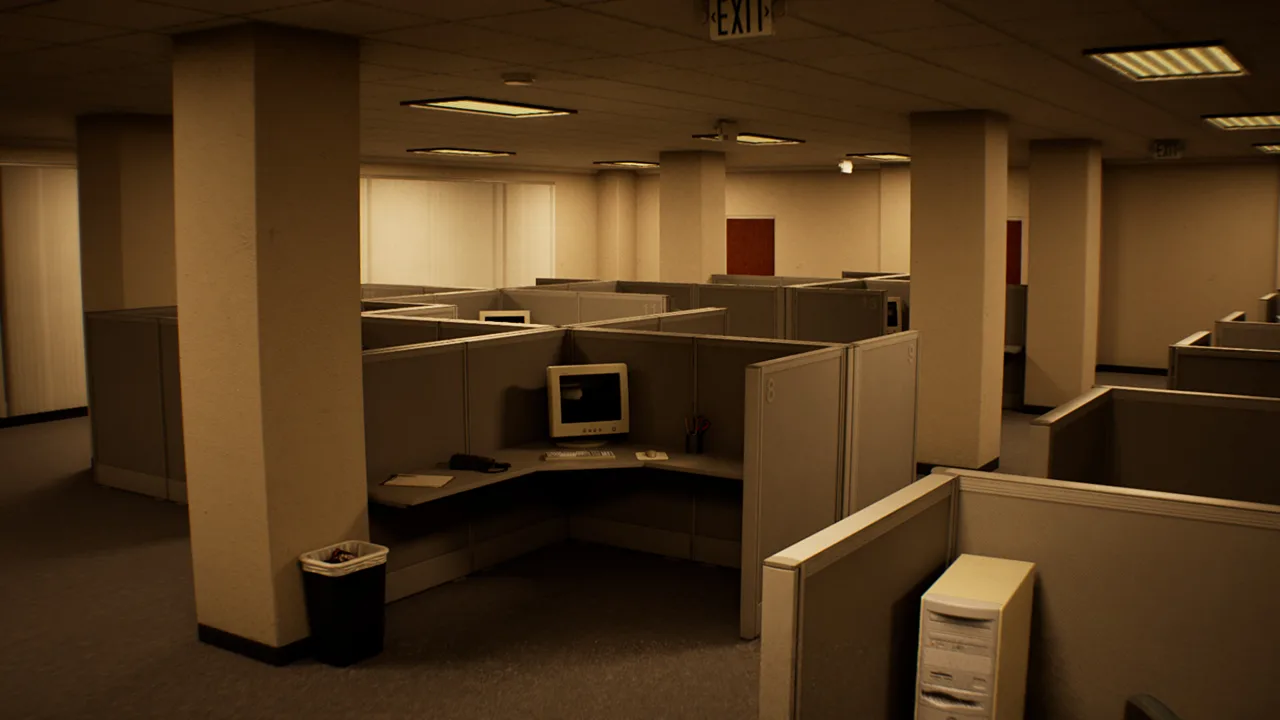
DROWSE follows Andrew as he struggles with the loss of his dog, Oxmo. His coworker asks him to return to the office, collect some documents, and make photocopies. The job sounds ordinary, which gives the disturbances that follow their edge: quiet rooms, familiar equipment, and a ringing phone become part of a much more personal nightmare.
The game takes place in the 1990s, so communication fits into a world of office equipment, physical documents, and everyday objects. Keep the telephone, beeper, and recorded messages distinct when thinking through a clue. They have different roles, even though all three involve information you need to notice.
| Communication element | Role in DROWSE | What to focus on |
|---|---|---|
| Coworker’s phone call | Establishes Andrew’s late-night office favor | The request to collect documents and make copies |
| Ringing phone | Appears among the disturbances interrupting the evening | The interruption within the surrounding scene |
| Beeper | Carries messages, including added animal hospital guidance in version 1.02 | The wording of each message |
| Recorded messages | Help reveal Andrew’s story alongside documents and photographs | Names, personal details, and context |
Listen closely to dialogue and use subtitles if you prefer reading alongside the audio. DROWSE includes subtitle options, adjustable text size, and custom volume controls. Use those settings to make conversations and written clues comfortable to follow.
The phone also belongs to the game’s larger pattern: familiar objects become unsettling as Andrew’s surroundings change. That makes careful attention useful without requiring you to rush. Follow the conversation, then return your attention to the room and the task in front of you.
Stuck After the DROWSE Phone Call? Check the Apartment Fix
If your problem is being unable to progress in the apartment after the call, version 1.01 fixed that specific softlock. This is the key patch detail for players searching for a DROWSE phone walkthrough because their opening sequence appears stuck.
 Image: Steam / MILKY COCO GAMES
Separate that apartment issue from the later beeper interaction changes. Version 1.01 addressed progression after the phone conversation. Version 1.02 made the beeper inside a drawer easier to interact with and added guidance for a different location.
| Version | Relevant change | Area or object affected |
|---|---|---|
| 1.01 | Fixed the progression block after the phone call | Apartment |
| 1.01 | Added a missing name to an audio tape | Audio tape |
| 1.02 | Made the beeper easier to interact with | Beeper inside a drawer |
| 1.02 | Added a message about the medical key and upstairs operating room | Animal hospital |
| 1.02 | Clarified the message displayed during the TV video | Office |
| 1.02 | Clarified the message concerning pills | Animal hospital |
Update your Steam installation before troubleshooting the apartment sequence. Start with the patch that addresses your symptom instead of treating every stalled interaction as a puzzle you have overlooked.
For example, being stuck immediately after the opening conversation matches the apartment problem fixed in 1.01. Trouble selecting the beeper inside its drawer matches the interaction improvement in 1.02. Those are separate issues, so keep the location and object clear when describing what happened.
If a technical problem persists, contact MILKY COCO GAMES at contact@milkycocogames.com. Include your game version, your location, and the action that preceded the problem. For an apartment issue, specify that it occurred after the phone call; for a drawer issue, identify the beeper.
That distinction makes a bug report more useful. “I cannot continue after the apartment conversation” describes a different problem from “I cannot interact with the beeper in the drawer,” even if both interrupt the same playthrough.
Beeper Messages and the Animal Hospital Clue
The beeper deserves its own attention in any DROWSE phone guide. It is a separate object, and version 1.02 includes changes to both its interaction and its messages.
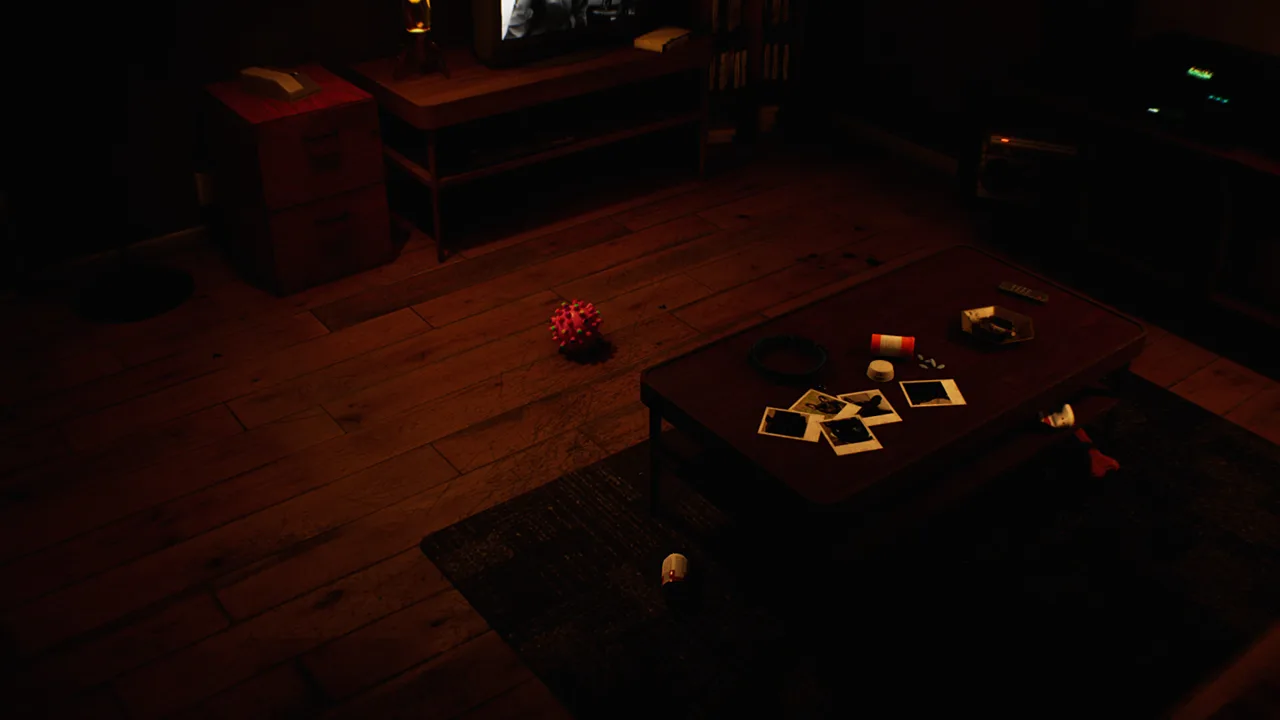 Image: Steam / MILKY COCO GAMES
One change makes the beeper inside a drawer easier to interact with. Another adds a message that provides information about the medical key and the operating room upstairs in the animal hospital. Read that message carefully when working through that area.
The useful connection is between a named object and a named destination. Keep the medical key and upstairs operating room together in your notes, then examine the environment with those terms in mind. This gives your search a focus without replacing the puzzle with guesses about where an item must be.
Version 1.02 also moved a barrier in the animal hospital to improve access to the upstairs area. That change belongs alongside the new beeper guidance: one addresses movement through the location, while the other provides information about the key and operating room.
| Detail to notice | Relevant game content | Practical tip |
|---|---|---|
| Medical key | Mentioned in the added beeper message | Keep the exact item name in your notes |
| Upstairs operating room | Mentioned in the same message | Connect the destination with the key information |
| Upstairs access | Improved by a barrier adjustment in 1.02 | Update before troubleshooting access difficulties |
| Pills | Message wording clarified in 1.02 | Read the revised wording before acting |
| Beeper in a drawer | Interaction made easier in 1.02 | Use the updated version before diagnosing an interaction problem |
Keep the pills-related changes separate, too. Version 1.01 stopped players from taking pills through the medical cabinet. Version 1.02 made the pills inside the medicine cabinet easier to interact with.
For the intended interaction, open and inspect the cabinet rather than trying to reach through it. If you have read instructions written around the launch version, remember that the cabinet interaction changed.
The hospital also received an unrelated numerical adjustment: the spinning wheel’s winning chance increased from 10% to 20% in version 1.02. That is a wheel change, so keep it separate from the phone call, beeper messages, and medical key clue.
How to Follow Calls, Notes, and Environmental Clues
DROWSE combines exploration with environmental puzzles. You can search drawers, examine belongings, read notes, listen to recorded messages, and use discovered items to open the way forward. Give those interactions your attention instead of focusing entirely on the DROWSE phone whenever a scene becomes confusing.
 Image: Steam / MILKY COCO GAMES
At the office, the routine includes turning on a computer, making coffee, and finding paper for the copier. Keep the immediate task in mind while examining the rooms around you. The ordinary work matters because it gives you a clear starting point as disturbances begin to interrupt the evening.
Use a short clue checklist while exploring:
- Read messages fully, including names and references to places.
- Examine objects and search drawers.
- Write down codes and the context in which you found them.
- Connect an item’s name with any message that mentions it.
- Listen to recorded messages for details about Andrew’s life.
- Read the office TV message carefully, especially with version 1.02 installed.
Keep puzzle information and story details in separate notes if that helps you stay organized. A code needs accurate transcription. A photograph or personal belonging deserves attention for what it reveals about Andrew and Oxmo. Both contribute to the experience, but you do not need to force every emotional detail into a numerical solution.
For the DROWSE phone conversation, focus on the coworker’s request. For the hospital beeper message, focus on the medical key and upstairs operating room. That difference helps you preserve the purpose of each communication.
Sound also contributes to the unease. Ringing and unexpected noises interrupt the familiar office routine, while recorded messages carry parts of the story. Adjust the volume controls to keep spoken information clear, and use subtitles when following dialogue by text feels easier.
Let the surrounding objects provide context. Andrew’s story emerges through documents, photographs, possessions, messages, and encounters. His grief over Oxmo sits at the center of that story, giving ordinary belongings an emotional weight beyond their possible use in a puzzle.
Rizmo Beeper Skin: Code and Availability
If your DROWSE phone search brought you here looking for the communication device’s cosmetic, the relevant item is the Rizmo beeper skin. It is available through a limited collaboration running from October 10 through October 17, 2026.
Redeem LC-RIZMO-LIMITED in-game during that period to unlock the skin. Preserve the spelling and hyphens when entering it.
| Rizmo detail | Value |
|---|---|
| Cosmetic name | Rizmo |
| Item | Beeper skin |
| Promo code | LC-RIZMO-LIMITED |
| Availability begins | October 10, 2026 |
| Availability ends | October 17, 2026 |
| Redemption | In-game during the collaboration period |
Claim the skin during that window if you want to add it to your collection.
Keep the cosmetic code separate from puzzle codes you find while exploring. LC-RIZMO-LIMITED unlocks Rizmo; environmental codes belong to the game’s clue-solving process. Label them separately in your notes to avoid confusing a promotional reward with information needed for a puzzle.
DROWSE launched on October 8, 2026, for Windows PC. You can get DROWSE on Steam and update your installation there before returning to the apartment or checking the revised beeper interactions.
For players returning after launch, the relevant changes are straightforward: version 1.01 fixes the apartment progression issue after the call, and version 1.02 improves beeper interaction and hospital guidance. Read the updated messages closely as you continue Andrew’s journey.
FAQ
What is the DROWSE phone call about?
Andrew’s coworker asks him to return to the office, collect her documents, and make photocopies. The late-night favor sets up the game’s office visit.
Why am I stuck in the apartment after the phone call?
Version 1.01 fixed an apartment softlock that could prevent progression after the conversation. Update your game before troubleshooting that sequence further.
What does the beeper message say about the animal hospital?
Version 1.02 adds a beeper message providing information about the medical key and the operating room upstairs. It also improves beeper interaction inside the drawer and access to the hospital’s upstairs area.
How do I unlock the Rizmo beeper skin?
Redeem LC-RIZMO-LIMITED in-game between October 10 and October 17, 2026, during the limited collaboration period.
Continue with
 DROWSE Coworker Documents: Office Task and Item GuideExplore DROWSE coworker documents, the late-night copying task, office exploration tips, and version 1.02 changes to help you navigate Andrew's nightmare.
More in Items
See all Items
Popular pages
DROWSE Beginner Guide: Puzzle Tips for Your First Run
Use this DROWSE beginner guide to explore the office, solve environmental puzzles, understand patch fixes, and prepare for Andrew's unsettling night ahead.
DROWSE Release Date: Launch, PC Specs, and Updates
DROWSE release date was October 8, 2026. Explore its Windows PC launch, system requirements, early patches, and limited-time rewards before you start.

DROWSE Editions: Steam Release, Features, and Extras
Explore DROWSE editions, Steam launch details, PC requirements, accessibility features, updates, and the limited Rizmo skin before starting Andrew's story.
DROWSE Crossplay: Single-Player and Platform Details
DROWSE crossplay explained: explore its single-player format, Windows PC requirements, controller support, and Steam features before starting the story.
Join the community
Official channels for news, updates and player help: