
DROWSE Steam Guide: PC Specs, Updates, and Launch Tips
Explore DROWSE Steam requirements, controller support, launch updates, and crash-report steps. Get ready for Andrew's unsettling return to the office.
Jump to

DROWSE Steam: What to Know Before You Play
A late-night trip to the copier becomes a nightmare in DROWSE Steam, where an ordinary office starts pulling you into memories Andrew would rather avoid. Before you step inside, knowing the PC requirements, available features, and launch fixes helps you prepare for the game. This DROWSE Steam guide covers those essentials, plus the limited Rizmo skin and what to send the developer if the game crashes at startup.
DROWSE launched on October 8, 2026, as a single-player psychological horror game from MILKY COCO GAMES. Its 1990s setting puts computers, paperwork, recorded messages, and everyday belongings at the center of an increasingly unsettling evening.
| Essential detail | DROWSE |
|---|---|
| Release date | October 8, 2026 |
| Developer and publisher | MILKY COCO GAMES |
| Steam app ID | 4613650 |
| Native desktop platform | Windows |
| Player mode | Single-player |
| Core gameplay | First-person exploration and environmental puzzles |
| Setting | The 1990s |
The launch announcement included a 10% discount during launch week. Open the DROWSE Steam purchase page to check the price in your region and purchase the game.
MILKY COCO GAMES is a two-person development team, and DROWSE is its first released game. The early updates address progression problems, object interactions, audio, and clearer puzzle information. Those changes matter when your next move depends on understanding a message or reaching an item.
Official page: DROWSE (store.steampowered.com)
Andrew’s Story and the Puzzles Between You and Home
You play as Andrew, who is struggling with the loss of his dog, Oxmo. Work gives his days structure, but his apartment feels empty, and ordinary routines are becoming harder to manage.
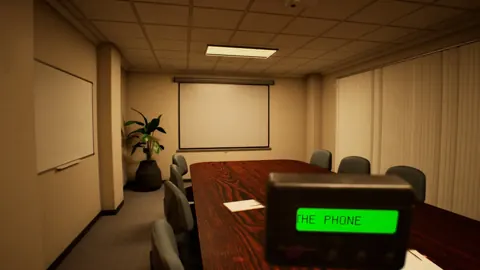
 Image: Steam / MILKY COCO GAMES
Then a coworker asks for a favor. Return to the office, collect her documents, make some photocopies, and head home. That small errand gives the story its starting point: a familiar task in a familiar place, interrupted by sounds, changes, and memories that make the surroundings increasingly difficult to understand.
The emotional center is Andrew’s bond with Oxmo. Grief, loneliness, and the struggle to move forward shape the journey as everyday rooms give way to distorted memories.
Look Closely at Everyday Objects
DROWSE Steam gameplay involves opening drawers, inspecting belongings, reading notes, listening to recordings, solving codes, and using discovered objects to open the way forward. Personal photographs and messages also reveal parts of Andrew’s life.
Give those interactions your attention:
- Search drawers carefully. Items and clues are part of the exploration.
- Read notes before moving on. Written information contributes to both puzzles and the story.
- Listen to recorded messages. They reveal details that help piece together Andrew’s life.
- Examine personal belongings. Photographs and objects carry context beyond the office errand.
- Revisit a puzzle’s clues when you get stuck. Compare the information you have with the code or obstacle in front of you.
The office routine includes turning on a computer, making coffee, and finding paper for the copier. These tasks ground the opening in recognizable actions before the environment starts becoming strange.
Pay attention when a room stops matching your memory of it. Changing spaces are part of the horror, alongside unexpected sounds and ringing phones. The tension comes from navigating places that should feel ordinary while Andrew’s past increasingly intrudes.
DROWSE Steam System Requirements and Platform Features
DROWSE has native Windows support. Its desktop platform information lists no native macOS or Linux version.
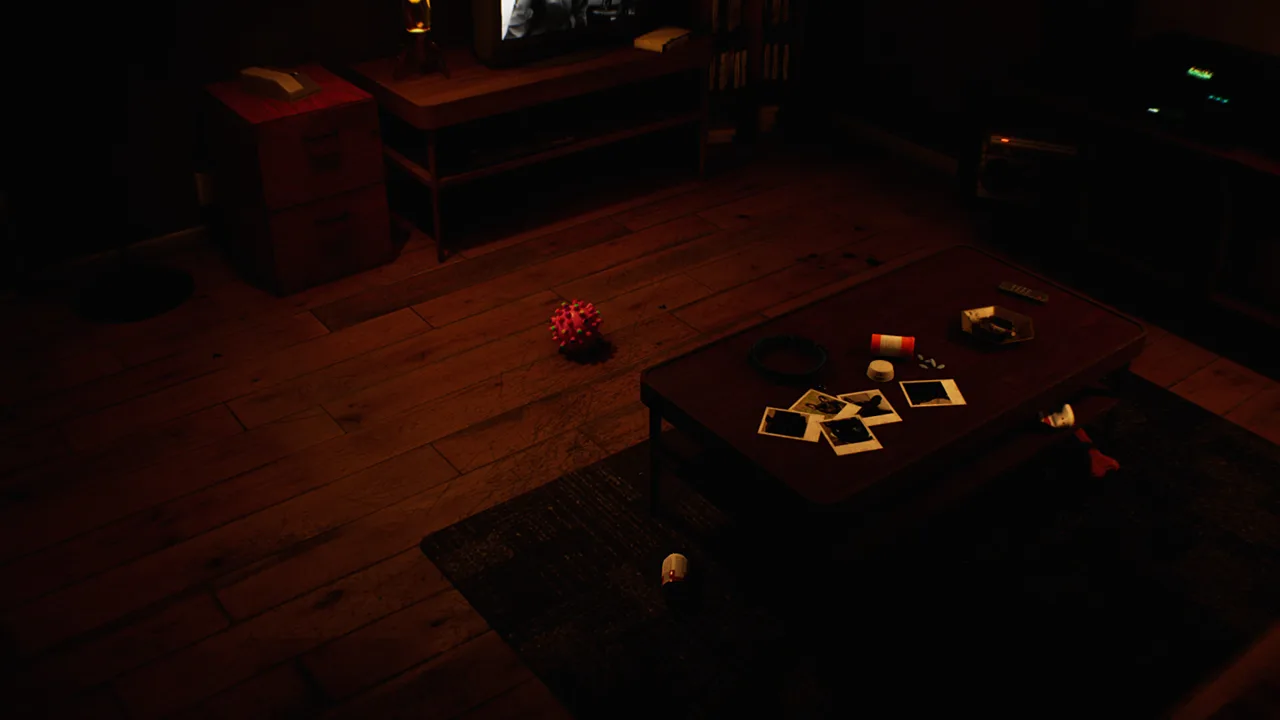 Image: Steam / MILKY COCO GAMES
Both hardware tiers require a 64-bit processor and operating system, along with DirectX 12. Compare your PC against the full requirements before purchasing, especially the graphics card and available storage.
| Component | Minimum requirements | Recommended requirements |
|---|---|---|
| Operating system | Windows 10 64-bit | Windows 10/11 64-bit |
| Processor | Intel Core i5-8400 / AMD Ryzen 5 2600 | Intel Core i7-9700K / AMD Ryzen 5 3600 |
| Memory | 8 GB RAM | 16 GB RAM |
| Graphics | NVIDIA GTX 1060 / AMD RX 580 | NVIDIA RTX 2060 / AMD RX 6600 |
| DirectX | Version 12 | Version 12 |
| Available storage | 20 GB | 30 GB |
The recommended configuration doubles the memory requirement from 8 GB to 16 GB and asks for 30 GB of available space rather than 20 GB. Check each component separately; enough RAM does not replace the required GPU or processor.
Use these specifications as your hardware checklist. They describe the minimum and recommended configurations without attaching a frame-rate or resolution target.
Controllers, Cloud Saves, and Accessibility
DROWSE Steam includes full controller support, Steam Achievements, and Steam Cloud. It also supports Family Sharing.
Accessibility features cover text, subtitles, camera comfort, and audio controls. Adjust the available options before settling into exploration so messages are readable and the camera feels comfortable.
| Feature | Available support |
|---|---|
| Controller input | Full controller support |
| Achievements | Steam Achievements |
| Cloud saves | Steam Cloud |
| Sharing | Family Sharing |
| Text readability | Adjustable text size |
| Dialogue accessibility | Subtitle options |
| Camera settings | Camera comfort |
| Audio settings | Custom volume controls and stereo sound |
| Pacing | Playable at your own pace |
Readable text is particularly useful here because notes, codes, and recorded messages contribute to the experience. Increase text size if you find yourself struggling to read, and use subtitle options while following dialogue.
The game supports English with full audio, plus French, Italian, German, Spanish–Spain, Japanese, Portuguese–Brazil, Simplified Chinese, and Ukrainian. Update 1.02 also added Malay localization, created using AI.
Select your preferred language before playing. Then check text and subtitle settings together so you can comfortably follow both conversations and written clues.
Launch Updates: What Versions 1.01 and 1.02 Changed
The early DROWSE Steam updates address several concrete problems. Version 1.01 fixes an apartment progression issue after a phone call. Version 1.02 improves interaction with certain objects and clarifies information in the office and animal hospital.
 Image: Steam / MILKY COCO GAMES
| Area | Version | Change |
|---|---|---|
| Apartment progression | 1.01 | Fixed a softlock after the phone call |
| Item audio | 1.01 | Fixed continuously looping item put-away sounds |
| Medicine cabinet | 1.01 | Prevented pills from being taken through the cabinet |
| Object interaction | 1.02 | Made the drawer beeper and cabinet pills easier to interact with |
| Office information | 1.02 | Clarified the message displayed during the TV video |
| Animal hospital navigation | 1.02 | Moved a barrier to improve upstairs access |
| Animal hospital clues | 1.02 | Added a beeper message about the medical key and upstairs operating room |
| Spinning wheel | 1.02 | Increased the winning chance from 10% to 20% |
Apartment Progression and Object Interaction
If you encountered the apartment softlock after the phone call, install the update containing the 1.01 fix before returning to that section. The patch directly addresses the issue that could prevent further progress.
The medicine cabinet received changes across both updates. Version 1.01 stopped pills from being collected through the cabinet, while version 1.02 made the pills easier to interact with. The later patch also improved interaction with the beeper inside a drawer.
Keep the game updated before troubleshooting an awkward interaction. These fixes target specific objects that players need to reach during exploration.
Clearer Animal Hospital Information
Version 1.02 adds a beeper message concerning the medical key and the operating room upstairs. It also clarifies the message about pills and moves a barrier to make the upper area easier to access.
Read the beeper information when working through this location. It supplies direction related to the key and operating room, so use it alongside the other clues you encounter.
The animal hospital spinning wheel now has a 20% winning chance in version 1.02, up from 10%. That doubles the earlier chance, though it does not guarantee a win on any individual attempt.
The same patch fixes music fading after Dr. Harris’ dialogue upon completing the objective. It also corrects music fading when reloading a save after taking pills.
Rizmo Skin Dates and Startup Crash Support
There is a time-limited cosmetic available during the launch period. The Rizmo beeper skin can be unlocked by redeeming LC-RIZMO-LIMITED in-game from October 10 through October 17, 2026.
Redeem the code during that window if you want the skin. Enter the code exactly as written, including its hyphens. The promotion is specifically for the Rizmo beeper cosmetic.
For DROWSE Steam startup crashes, the developer’s requested next step is to check for crash reports. These files give support information to investigate why the game closes.
Locate and Send Crash Reports
Check this Windows folder:
%localappdata%\Drowse\Saved\Crashes
If crash reports are present, send them as a ZIP attachment to contact@milkycocogames.com. Send the files privately by email rather than posting them publicly.
Follow this checklist when preparing the report:
- Check the crash-report folder after the startup failure.
- If reports are present, package the files into a ZIP.
- Attach the ZIP to an email to the developer.
- If the path does not exist or the folder is empty, tell support that directly.
Describe what happened when you launched the game so the developer has context alongside the files. A crash report is an investigation step, rather than a repair you apply yourself.
For other bugs or technical issues, the same developer email provides a support contact. Keep your report focused on the problem and the relevant files so it is clear what needs attention.
FAQ
Is DROWSE Steam available now?
Yes. DROWSE released on Steam on October 8, 2026. It is a single-player, first-person psychological horror game developed and published by MILKY COCO GAMES.
What PC hardware does DROWSE require?
The minimum requirements include Windows 10 64-bit, an Intel Core i5-8400 or AMD Ryzen 5 2600, 8 GB RAM, an NVIDIA GTX 1060 or AMD RX 580, DirectX 12, and 20 GB of available storage.
Does DROWSE support controllers and Steam Cloud?
Yes. DROWSE supports controllers, Steam Cloud, Steam Achievements, and Family Sharing. Its accessibility features include adjustable text size, subtitle options, camera comfort, and custom volume controls.
How do you unlock the Rizmo beeper skin?
Redeem LC-RIZMO-LIMITED in-game between October 10 and October 17, 2026. The code unlocks the limited Rizmo beeper skin during that promotion.
Continue with
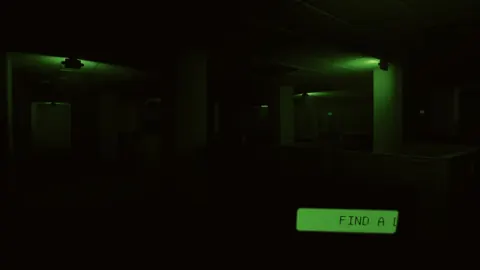 DROWSE Crossplay: Single-Player and Platform DetailsDROWSE crossplay explained: explore its single-player format, Windows PC requirements, controller support, and Steam features before starting the story.
More in Platforms
See all Platforms
Popular pages
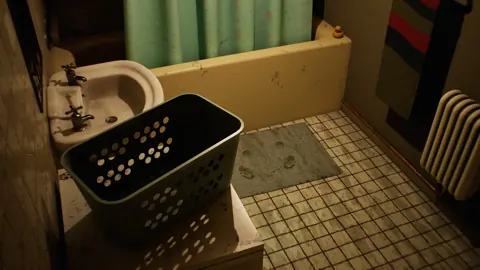
DROWSE Beginner Guide: Puzzle Tips for Your First Run
Use this DROWSE beginner guide to explore the office, solve environmental puzzles, understand patch fixes, and prepare for Andrew's unsettling night ahead.
DROWSE Release Date: Launch, PC Specs, and Updates
DROWSE release date was October 8, 2026. Explore its Windows PC launch, system requirements, early patches, and limited-time rewards before you start.

DROWSE Editions: Steam Release, Features, and Extras
Explore DROWSE editions, Steam launch details, PC requirements, accessibility features, updates, and the limited Rizmo skin before starting Andrew's story.

DROWSE Andrew: His Story, Oxmo, and the Office Horror
Explore DROWSE Andrew, his bond with Oxmo, and the grief behind his late-night office nightmare. Get character insights and practical tips for the journey.
Join the community
Official channels for news, updates and player help: