
DROWSE Rizmo Skin Code: Unlock the Limited Beeper Skin
Get the DROWSE Rizmo skin code, unlock Linca's limited beeper skin, and check the October 10–17, 2026 redemption window before the collaboration ends.
Jump to
DROWSE Rizmo Skin Code and Redemption Dates
The DROWSE Rizmo skin code is LC-RIZMO-LIMITED, and its redemption window runs from October 10 to October 17, 2026. It unlocks an exclusive beeper skin from the game's collaboration with French streamer Linca, giving collectors a limited opportunity to pick it up. Enter the DROWSE Rizmo skin code in-game during that window to unlock Rizmo.
If you have been putting off starting DROWSE, keep this promotion's dates in mind. The collaboration has its own schedule, so plan your redemption around those dates rather than around when you expect to finish the story.
Here are the details to keep handy:
| Promotion detail | What you need to know |
|---|---|
| Promo code | LC-RIZMO-LIMITED |
| Reward | Rizmo beeper skin |
| Collaboration partner | Linca |
| Redemption begins | October 10, 2026 |
| Redemption ends | October 17, 2026 |
| Where to enter it | In-game |
The promotion runs from October 10 to October 17, 2026. Copy the code now if you want the reward, and make time to enter it before the collaboration ends.
The code is short, but its punctuation deserves a second look. There are two hyphens separating three text groups: LC, RIZMO, and LIMITED. Keep the entire string together when entering it.
For anyone collecting DROWSE cosmetics, the appeal is straightforward: Rizmo is an exclusive collaboration skin with a limited availability period. Its design takes inspiration from Linca's Twitch visual identity.
Keep the code and the deadline together in your notes. Saving only the code makes it easy to overlook the part that matters most for this promotion: when you can use it.
How to Redeem the Rizmo Promo Code
Redeem the DROWSE Rizmo skin code in-game between October 10 and October 17, 2026. Use the exact text below:
LC-RIZMO-LIMITED
Before submitting it, compare your entry with the full code. Copying is convenient, but take a moment to check for accidental spaces or missing characters.
| Part of the code | Exact text | Entry tip |
|---|---|---|
| Opening group | LC | Keep both letters |
| First separator | - | Use the hyphen shown |
| Skin name | RIZMO | Check the spelling |
| Second separator | - | Keep it between the text groups |
| Final group | LIMITED | Include the complete ending |
Use this quick checklist while entering it:
- Copy the complete code, including both hyphens.
- Match the uppercase spelling shown above.
- Remove any extra spaces added while copying.
- Enter it in DROWSE during the collaboration period.
- Read the game's response before trying again.
The promotion uses an in-game promo code. Keep your attention on entering that code in DROWSE; you do not need to follow Linca's stream to get the text, because it is already listed here.
If you prefer typing manually, check each group separately before checking the full string. LC-RIZMO-LIMITED is easier to review in three pieces than as one uninterrupted line of characters.
Avoid leaving redemption until your last planned play session on October 17. Give yourself room to handle a typing mistake or a technical problem while the promotion is still running. The useful deadline to remember is the collaboration's final date, even if your own playthrough will continue afterward.
For the DROWSE Rizmo skin code, keep the task simple: enter the complete promo code during the stated period, then follow the response displayed by the game.
What the Rizmo Beeper Skin Is
Rizmo is an exclusive beeper skin inspired by Linca's Twitch visual identity. The collaboration connects that identity with an item players encounter in DROWSE, offering a cosmetic collectible during the October 10–17 event.
DROWSE is a first-person psychological horror game set in the 1990s. You play as Andrew, who returns to his office late at night to collect documents and make photocopies for a coworker. Familiar locations begin to change as memories intrude on what should have been a routine favor.
That setting gives the beeper a natural place in the game. DROWSE uses beeper messages to communicate information during play. Rizmo adds a collaboration skin to that recognizable object.
Keep the DROWSE Rizmo skin code and its redemption dates together in your notes. Its purpose is to unlock the promotional skin during the October 10–17, 2026 collaboration period.
For collectors, the dates are the central detail. Rizmo's availability is tied to this collaboration period. Put October 17 on your reminder list if you want to make sure redemption does not slip behind other games or plans.
If you still need the game, visit the DROWSE Steam page to purchase it. Once you are ready to play, keep the promo code nearby so the event does not become something you remember only after its window has passed.
The reward's name is Rizmo, and the full redemption string is LC-RIZMO-LIMITED. Use the name to recognize the skin and the complete string when redeeming it.
Beeper Interaction and Relevant DROWSE Updates
The beeper also received attention in version 1.02, which makes the beeper inside the drawer easier to interact with. If that interaction felt awkward during your playthrough, check that your installation includes the update.
Version 1.02 includes several clarity and interaction improvements. These are useful to know about while you are getting into the game, especially if a prompt or object interaction has slowed you down.
| Update | Change | What it means during play |
|---|---|---|
| Version 1.02 | Easier interaction with the beeper inside the drawer | The drawer interaction has been adjusted |
| Version 1.02 | Clearer message during the office TV video | The office message's clarity has improved |
| Version 1.02 | Added a beeper message about the medical key and upstairs operating room | The beeper provides additional location information |
| Version 1.01 | Fixed the apartment progression block after the phone call | That specific progression issue received a fix |
These changes are helpful context when returning to an early playthrough. If you stopped because of the apartment issue after the phone call, version 1.01 addresses that particular block. Version 1.02 then adds further improvements to interactions and guidance.
Keep the DROWSE Rizmo skin code handy while getting your game ready, but check technical issues on their own terms. A difficult drawer interaction and a promo-code entry problem involve different actions, so describe the exact point where you get stuck if you contact support.
During regular play, read the beeper messages carefully. Version 1.02 adds guidance involving the medical key and the operating room upstairs in the animal hospital. Paying attention to that message can help you work with the information the game gives you.
For the promotion, focus on the code and its dates. For the story, focus on the environmental clues and messages in front of you. That keeps this small cosmetic task from turning into an unnecessary search through plot details.
If you are returning after launch, check your installed version before continuing from a problem you encountered earlier. The apartment fix and beeper interaction adjustment give you specific changes to look for.
What to Do If the Code or Game Gives You Trouble
Start with the simplest checks: compare the code character by character and check the promotion dates. Those two details are easy to review before spending time on broader troubleshooting.
| Problem you encounter | Next action |
|---|---|
| Code entry fails | Compare the entry with LC-RIZMO-LIMITED |
| You are unsure about the deadline | Check whether the date falls within October 10–17, 2026 |
| The beeper inside the drawer is awkward to interact with | Check that your game includes version 1.02 |
| The game crashes at startup | Check the crash-report folder and contact the developer |
For a DROWSE Rizmo skin code problem that persists after checking the text and dates, contact MILKY COCO GAMES at contact@milkycocogames.com. Include the exact code you entered and describe the response you received.
Keep your message specific. “The code failed” gives less information than a description of what happened after submission. Include any displayed error text, and distinguish a redemption problem from a crash that prevents you from reaching the game.
If DROWSE crashes at startup on Windows, check for crash reports:
- Press Windows + R.
- Enter
%localappdata%\Drowse\Saved\Crashes. - If the folder contains crash-report folders, select them all.
- Compress them into one ZIP file, including the files inside.
- Email the ZIP file to contact@milkycocogames.com.
Send crash files privately by email. If the path does not exist or the folder is empty, tell the developer that in your message.
This gives support a concrete starting point while keeping the problem clear. Report whether you can launch DROWSE, whether you can reach code entry, and what happens when you try to redeem the promotion.
Handle any startup problem early in the collaboration period. A limited skin gives you a reason to check that the game launches before your final opportunity to redeem it arrives.
FAQ
What is the DROWSE Rizmo skin code?
The DROWSE Rizmo skin code is LC-RIZMO-LIMITED. Enter it in-game during the October 10–17, 2026 collaboration period to unlock the Rizmo beeper skin.
When does the Rizmo code expire?
The announced redemption period ends on October 17, 2026. Redeem during the October 10–17 window, and leave yourself time to handle an entry mistake or technical issue before the final day.
What does the Rizmo code unlock?
It unlocks Rizmo, an exclusive beeper skin inspired by Linca's Twitch visual identity. The skin is part of DROWSE's limited collaboration with Linca.
Who should I contact if redemption fails or DROWSE crashes?
Email contact@milkycocogames.com. For a code problem, include the entered text and the game's response. For a startup crash, check %localappdata%\Drowse\Saved\Crashes and send any crash-report folders together in a ZIP file privately by email.
Popular pages
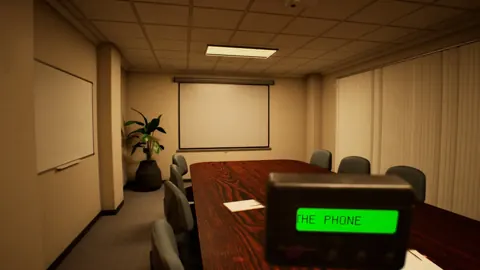
DROWSE Release Date: Launch, PC Specs, and Updates
DROWSE release date was October 8, 2026. Explore its Windows PC launch, system requirements, early patches, and limited-time rewards before you start.
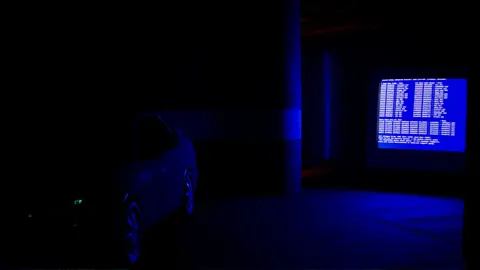
DROWSE Editions: Steam Release, Features, and Extras
Explore DROWSE editions, Steam launch details, PC requirements, accessibility features, updates, and the limited Rizmo skin before starting Andrew's story.
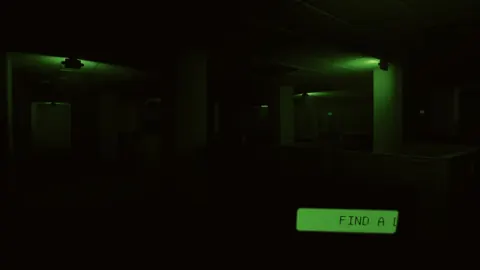
DROWSE Crossplay: Single-Player and Platform Details
DROWSE crossplay explained: explore its single-player format, Windows PC requirements, controller support, and Steam features before starting the story.
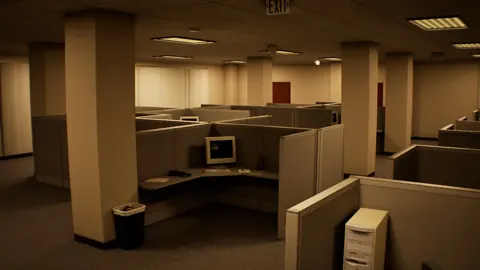
DROWSE Andrew: His Story, Oxmo, and the Office Horror
Explore DROWSE Andrew, his bond with Oxmo, and the grief behind his late-night office nightmare. Get character insights and practical tips for the journey.
Join the community
Official channels for news, updates and player help: